

Pinterest pins for a season
Pinterest is a search engine that parents use to plan: what to read over the holiday, what to do on a rainy afternoon, what to give a nine-year-old. A pin made today can bring visits for months — but a seasonal search starts weeks before the season, so the pins have to be in place first. This walkthrough follows Code Pineapple’s Halloween slate from the first message to the queue.
- 01Discovery
- 02Leads
- 03Conversion
- 04Delivery
- 05Nurture
Be found by parents planning Halloween reading — six weeks before they search — and send them to a free story.
What you can do
Section titled “What you can do”- Ask for a season’s worth of pins in one sentence; Scout proposes the plan and the split.
- Review all 36 in the Workbench and redirect any one of them in words.
- Tick the pins you want and press Send to GHL: sending is the approval. Kill the rest.
- Watch each pin move from In GHL to posted, with its own numbers.
- See which pins beat your own average (the outlier score) and plan the next batch from them.
The conversation
Section titled “The conversation”Halloween is coming. Can we get the Pinterest slate seeded for it?
social content flowSeasonal searches on Pinterest start about 45 days ahead, so these should go up from 6 September. I would build on three destinations: the free Halloween anthology, the free Pumpkin-head Penny story, and the mystery and adventure book list — the list is our proven performer.
How should 36 pins split across the three?
pinterestDone: 14 for the anthology, 12 for Penny, 10 for the book list. Hooks are written to be saved, because saves are our weakest number right now, and every line of copy comes from the actual story text.
What happens, and where you see it
Section titled “What happens, and where you see it”-
Read the signals — Pinterest engine
Scout starts from what is already working: which pins were saved, which were clicked through, which destinations convert. The engine’s Signals view slices every pin by board, destination and tag, and gives each one an outlier score: its impressions divided by your average pin’s over the same 90 days. A pin at 2.4× is one to make more of; under half your average is marked not seen.
-
Plan the batch — Chat
The plan is three destinations, a split, a start date and the rules each pin must pass: legible at feed size, one clear promise, the brand’s palette, the destination’s own words.
-
Make the pins — Workbench
The skill writes the copy and renders the images through the one media gateway, with the series characters attached as references so they stay on model. Twenty of the 36 are illustrated; the batch uses six colourways so the feed does not look like one pin repeated.
-
Review in rounds — Workbench
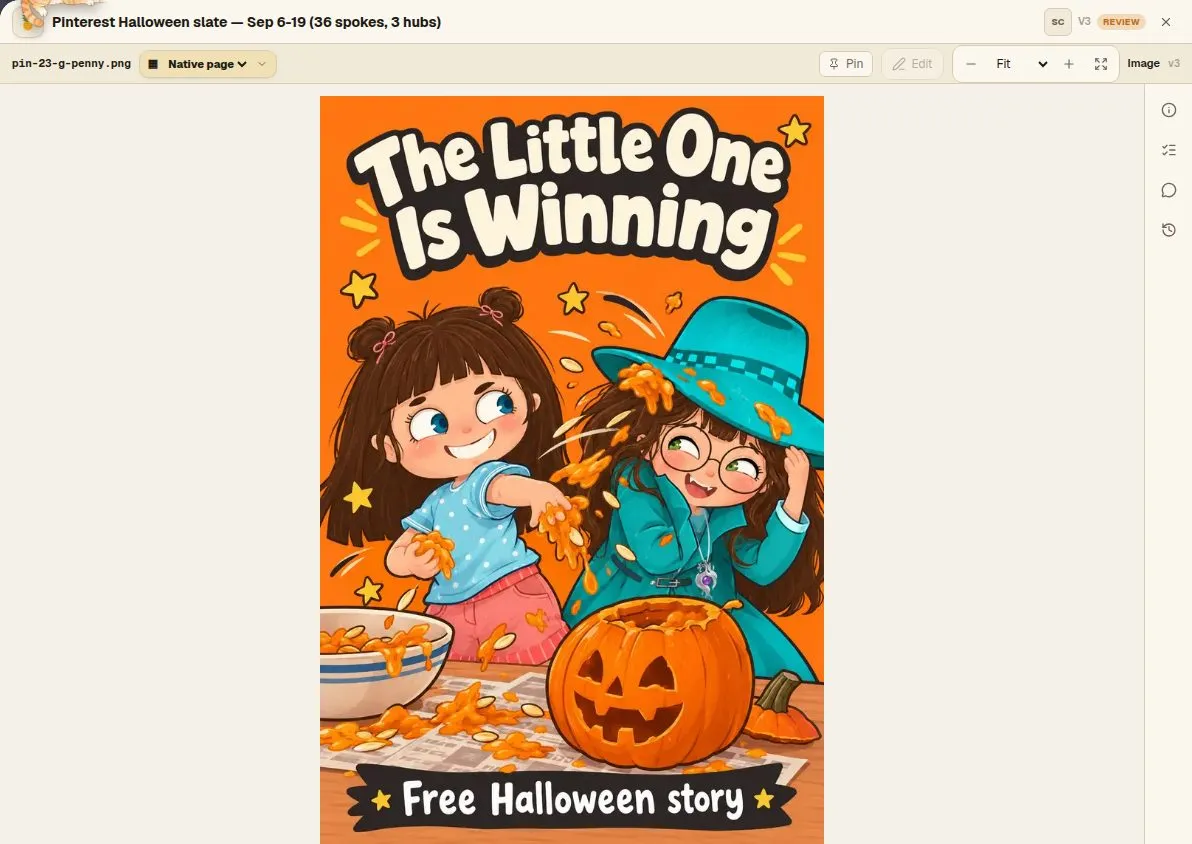
Version 2: two pins had their headline painted into the scene as a small sign — charming, and unreadable at feed size. Both were re-rendered with a legible overlay. Version 3: a pin with two characters had the second one invented, because only one reference was attached. It was rebuilt with both, and the fix went into the engine so a scene with two characters always carries both references.
-
Save each pin to the planner — Pinterest engine, Planner
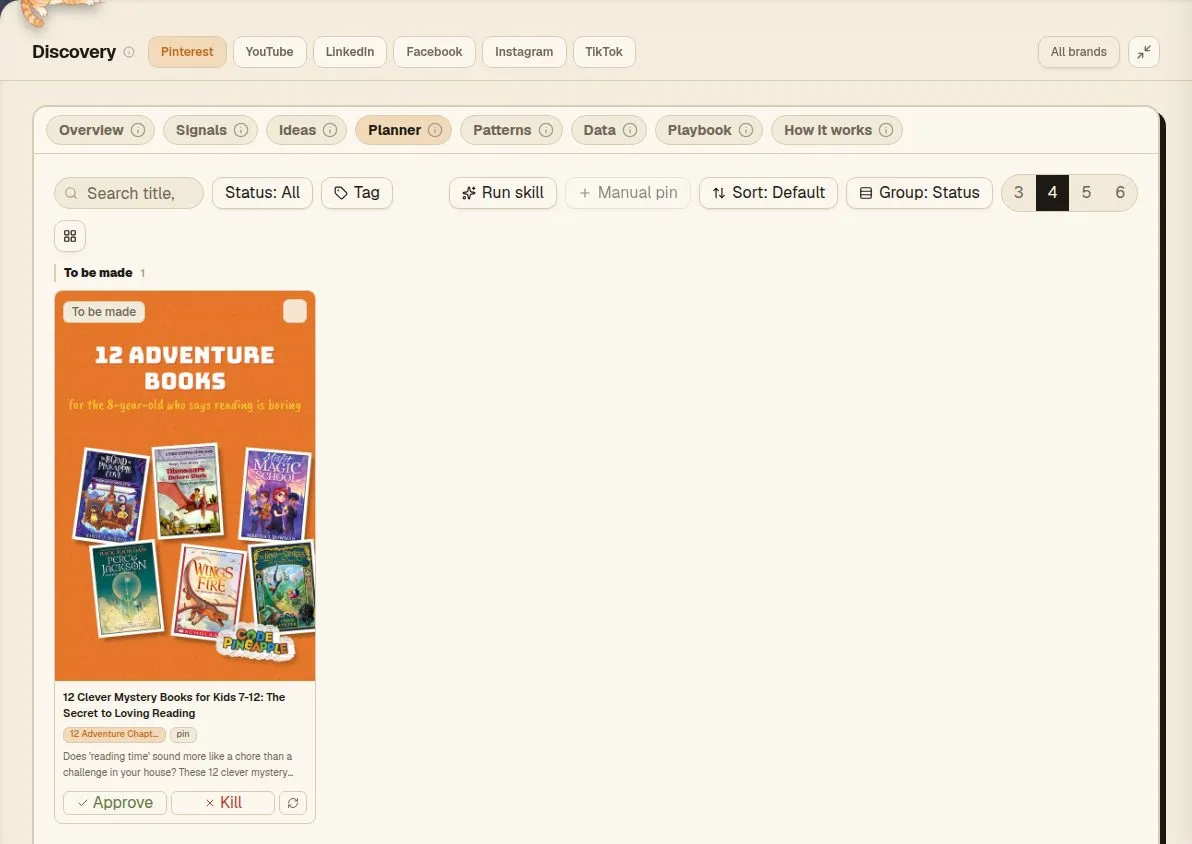
Each pin is saved in one fixed shape, the pin contract: title, description, board, link, image and the skills that made it. The link has its own field and never sits in the description. The engine refuses a pin that breaks the contract and names the field to fix, so every pin in the planner has what Pinterest needs.
-
Send to GHL — Pinterest engine, Planner
On the planner’s Review view each made pin shows as Pinterest shows it, with three buttons: Good, Fix or Archive. A fix goes back to Scout with the reasons you tapped (hook weak, text too small, wrong board…) and an optional note, and Scout changes that same pin. Then press Send to GHL. Sending is the approval: each pin goes to GoHighLevel’s scheduler with its image, board, link and time (a date goes out at 9:00 am Pacific), and its card reads In GHL. Killing a pin takes it out of the planner; it stays in the history.
-
Posted, then measured — Pinterest engine, Overview and Signals
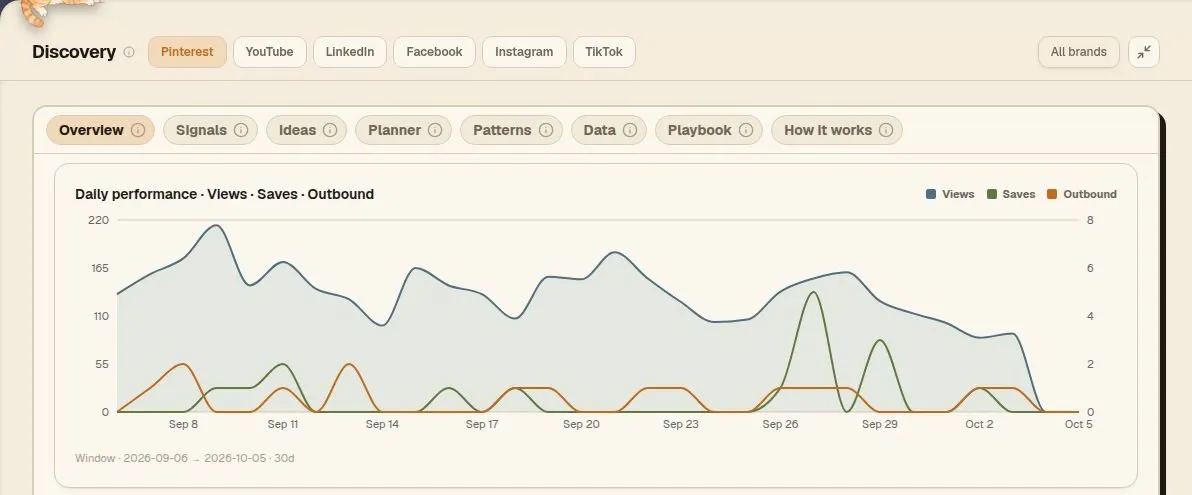
The nightly sync finds each pin once it is live, records its Pinterest id and moves it to posted. From then on its impressions, saves and outbound clicks land every night, against the period before, and its outlier score updates. The next batch starts from this view, not from a guess.
The real outputs
Section titled “The real outputs”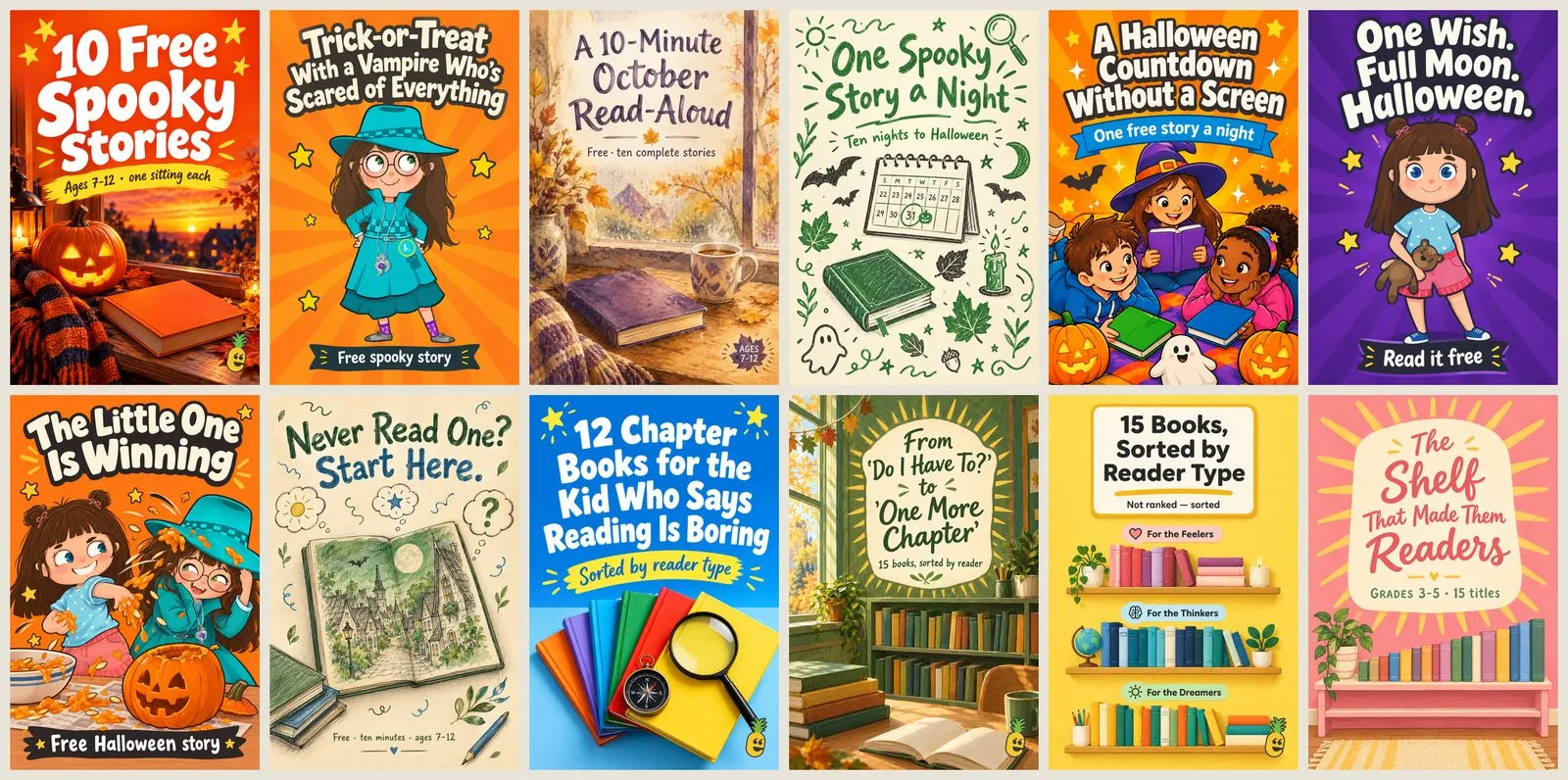
What to notice
Section titled “What to notice”- The plan was the agent’s; the split was yours. One click on a question form, not a paragraph of instructions.
- Each review round fixed the cause, not just the pin. The two-character fix changed the engine, so the next batch cannot repeat it.
- One click publishes. Send to GHL is the approval, so it is worth a last look at the ticked pins first.
- The pins point somewhere. Every pin leads to a free story or a book list, and from there to the free printable and the books — the next stage of the funnel.
Where it stands today
Section titled “Where it stands today”Making and reviewing pins in the Workbench is available. The Pinterest engine — signals, planner and overview — is the first channel engine and is Limited: other channels do not have one yet. Details and evidence: What works today.
Related
Sources: brands/code-pineapple/pipeline/social-content-halloween-sep6-19 (task record, three versions), docs/architecture/channel-engine.md, docs/tasks/715-pinterest-cockpit-sync-to-ghl.md, skills/pinterest/SKILL.md · Last verified 2026-10-25